



16 Mar Soundproof Server Cabinet Selection
How to Size a Soundproof Server Cabinet Without Creating a Heat Problem
The right soundproof server cabinet is sized by three things first: real equipment heat load, usable depth, and how noise-sensitive the room is. If you choose by U height alone, you can end up with an acoustic cabinet that is quiet on paper but wrong for the server, UPS, airflow path, and daily operating pattern.
For offices, clinics, branch sites, reception areas, and other shared indoor spaces, the better decision is to balance rack noise reduction against cabinet thermal load, service access, and power layout from the start. UPCOM’s current SoundProof Cabinets range already frames the category this way: 19-inch indoor acoustic cabinets, 12U to 42U, up to 400 kg, with quiet fan modules and thermostat-based ventilation for environments where a separate server room is not practical.
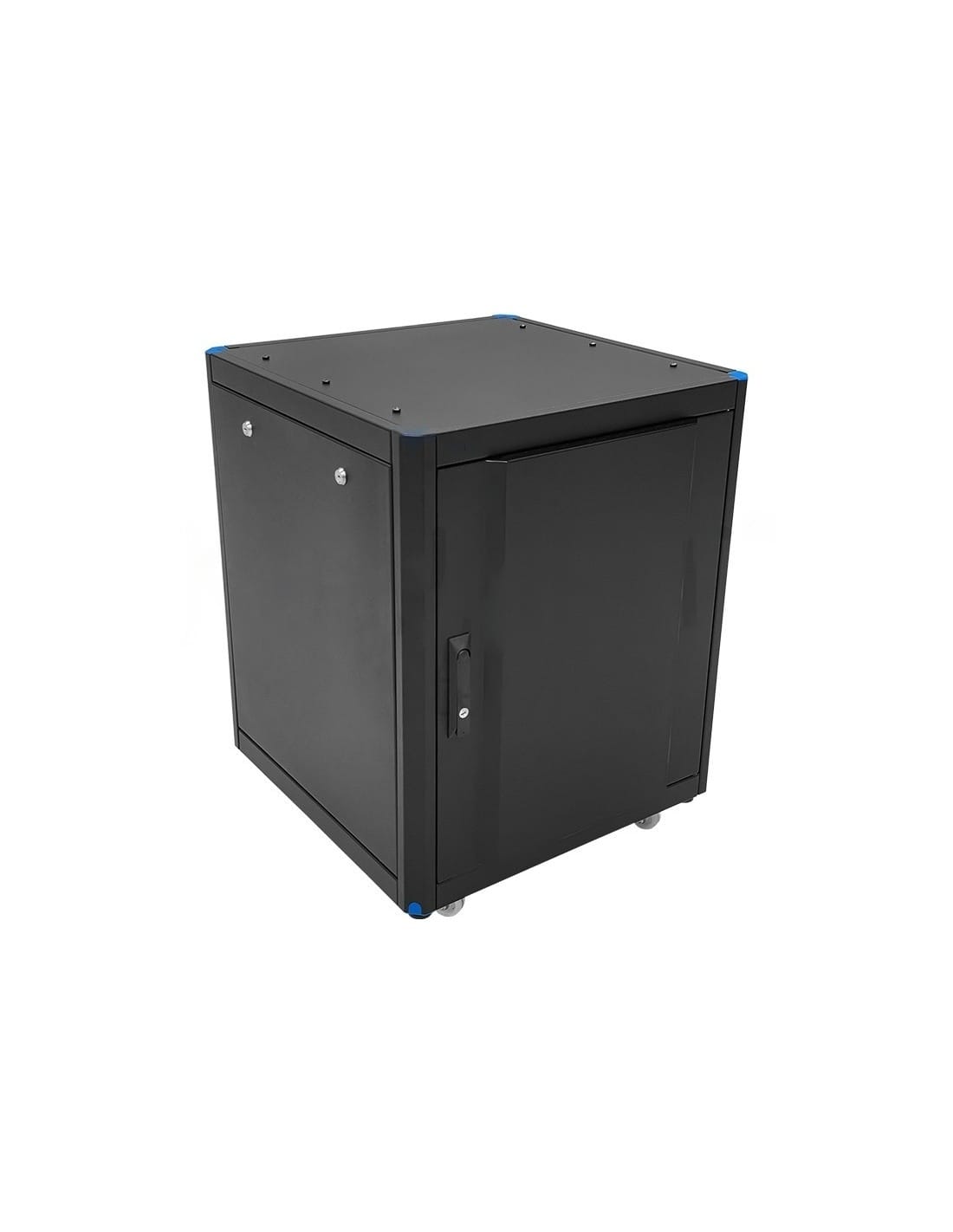
Choose a soundproof rack cabinet by heat load, usable depth, and room sensitivity to noise — not by cabinet height alone. If the room is shared and the cabinet will carry real server or UPS heat, acoustic performance only works when the ventilation margin, ambient conditions, and power layout are defined in the RFQ from day one.
Quick answer
The main decision point in soundproof server cabinet selection is simple: are you solving a true room-noise problem with a cabinet that can still safely reject the installed heat. In other words, size the cabinet around cabinet thermal load, deepest device, airflow clearance, and service space first, then choose the acoustic format, fan-module level, and finish.
That is why the current SoundProof Cabinets page is useful as a starting reference. UPCOM positions the product family as indoor 19-inch acoustic enclosures for offices and public-facing work areas, not as generic server racks. The current page also makes the thermal trade-off explicit: 1 or 2 fan modules with digital thermostat, recommended operating range of 0°C to +40°C, and recommended heat load up to 1.5–2 kW depending on configuration.
The buying rule is direct. If the cabinet will carry hotter server and UPS loads, the quote has to be built around actual kW, not around the phrase “acoustic server rack.” If the equipment is light network gear only, lower-cost rack noise reduction measures inside a standard cabinet may be enough.
Comparison / decision table
If you are still comparing acoustic enclosures against conventional options, review the wider Rack Cabinets category as well. The commercial mistake is assuming every quiet-looking cabinet belongs in the same budget or thermal band.
| Option | Best fit | Main advantage | Main risk if mis-selected | Commercial / RFQ note |
|---|---|---|---|---|
| Acoustic server rack | Shared office, clinic, branch, reception or hallway where active IT noise is a real issue | Better noise control with secure 19-inch enclosure logic | Overheating risk if the equipment list is hotter than the ventilation package | State total heat load, ambient room temperature, deepest device and target U size |
| Soundproof rack cabinet | Public-facing or premium indoor areas where cabinet appearance and lower audible noise both matter | Cleaner presentation, quieter operation, controlled physical access | Higher cost, larger footprint and freight volume than a standard rack | Main cost drivers are U height, depth, fan-module count, finish, accessories and shipment volume |
| Rack noise reduction measures only | Light network gear in a semi-private technical area where the room is not highly noise-sensitive | Lower cost and faster deployment than moving straight to a full acoustic enclosure | Usually not enough for server + UPS noise in an open office | Best when the load is switch / patch / light edge gear rather than server-heavy workloads |
The first filter is whether the cabinet is going into a room where audible IT noise matters and whether the installed load sits inside the cabinet’s real thermal envelope. A quieter cabinet that is thermally wrong is not a solution; it just moves the problem from acoustics to uptime, fan speed, and service calls.
Selection criteria by application / route / environment
1) Application: office or true server room?
An acoustic server rack is usually justified when the cabinet will sit in an open workspace, boardroom-adjacent area, clinic, branch office, bank back office, reception, or corridor. If you already have a dedicated technical room, a standard cabinet from the broader Rack Cabinets range is often the simpler and lower-cost answer.
2) Equipment mix and cabinet thermal load
This is where many RFQs fail. Do not count U only. Count what actually creates heat: servers, UPS units, switches, edge compute nodes, storage, firewalls, and sometimes even the rack PDU monitoring chain. On UPCOM’s current soundproof page, the recommended heat-load band is up to 1.5–2 kW depending on configuration. If your list is close to that line, the RFQ should request fan-module confirmation explicitly.
3) U height is necessary, but not sufficient
UPCOM currently lists 12U, 16U, 26U, 36U and 42U heights. That helps with space planning, but height alone does not tell you whether the cabinet will actually work. Leave spare U for growth, airflow, cable routing, and service access instead of packing the cabinet to the last rack unit on day one.
Depth is the second major filter. The current UPCOM range lists 650, 800 and 1000 mm depth options. Buyers often underestimate how quickly depth disappears once you account for the deepest chassis, front cable bend radius, rear power connections, door clearance, and the need to keep the intake and exhaust path open. A cabinet that “fits the server” dimensionally can still be the wrong cabinet if the airflow path is pinched.
Ambient environment also changes the answer. UPCOM’s current page lists a recommended operating band of 0°C to +40°C, but real sizing should still be based on the hottest realistic room condition, not the nicest one. If the cabinet will sit near glass, in a retail back office, or in a mixed-use workspace with seasonal variation, thermal headroom matters more than showroom aesthetics. Door finish and appearance come after the engineering basics, and a small growth margin is usually cheaper than re-quoting the cabinet after a server, UPS, and Rack PDU are added later.
Compatibility and standards to verify
For this product family, standards checking should stay practical. You do not need a long generic list. You need the few checks that actually decide fit, interoperability, and field performance.
19-inch compatibility
Verify the cabinet against the 19-inch rack standard family. The simplest external reference is IEC 60297-3-100, which covers the basic dimensions of 19-inch front panels, subracks, chassis, racks and cabinets. This is the right baseline when you need to confirm that servers, shelves, patch panels and accessories will physically belong in the same mechanical ecosystem.
Thermal envelope
Check the room environment against the installed equipment requirement, not against the empty cabinet alone. ASHRAE’s thermal guidance remains a useful benchmark for air-cooled IT environments, especially when you are trying to decide whether an office-side cabinet can carry the intended load without pushing server fans harder than necessary.
After that, verify the compatibility items that buyers most often skip:
- Usable depth and rail placement: not only the external cabinet size, but the usable internal geometry once power plugs, cable radius and airflow clearance are included.
- Distributed load: UPCOM’s current soundproof range is listed up to 400 kg distributed load. That is enough for many office-side deployments, but do not assume it covers every server plus UPS mix without checking the actual equipment weight.
- Ventilation package: current UPCOM configurations use 1 or 2 fan modules with digital thermostat. If the thermal load is near the upper band, ask the supplier to confirm the exact module package in the quote.
- Indoor protection class: current soundproof cabinets are positioned as indoor cabinets with IP20 reference. If the real environment is dusty, damp or semi-outdoor, this is the wrong family and the project should move back into the broader Rack Cabinets selection logic.
- Power-chain fit: confirm the power layout early. Cabinet depth and usable side space can change once a Rack PDU, UPS cables and cable management accessories are added.
Actual acoustic performance depends on equipment fan behavior, installed load, airflow path and room condition. A credible RFQ either states a target noise level with measurement distance and room condition, or it asks the supplier to propose the correct configuration based on the equipment list.
Common mistakes and rework triggers
The most common error is choosing an acoustic cabinet as if it were a cosmetic furniture item. It is still a rack enclosure. The noise problem is visible, so buyers focus on the acoustic side and ignore the thermal side. That is exactly how projects end up with a cabinet that is subjectively quieter in the room but objectively worse for the installed hardware.
Choosing by U only
U height is the easiest number to compare, so it gets too much weight. The correct sequence is equipment list → thermal load → deepest device → airflow path → growth margin → final U choice.
Ignoring UPS and PDU heat
Buyers often count only servers and switches. In real office-side racks, UPS losses and Rack PDU decisions still affect usable space, rear cable density and thermal behavior.
Using a soundproof cabinet where a standard rack is enough
If the rack is going into a dedicated technical room, the acoustic premium may be unnecessary. That budget can often be redirected into a better standard rack, airflow accessories or power distribution.
Sending a weak RFQ
“Need 26U soundproof cabinet” is not an RFQ. Without equipment list, thermal load, depth, ambient condition and door preference, suppliers quote assumptions instead of a real solution.
The other major rework trigger is freight blindness. Acoustic cabinets are bulky products, so cabinet size, assembled volume, fan-module package and accessories can move landed cost quickly. A cleaner RFQ makes price comparisons more honest.
RFQ checklist — exact fields buyers should include
- Installation area: office, bank branch, clinic, reception, classroom, retail back office, corridor, etc.
- Application summary: server + UPS + switch, network-only, edge compute, branch IT, mixed office rack.
- Equipment list: model names or at least device categories and quantity.
- Total estimated power / cabinet thermal load: in kW if possible.
- Rack height target: 12U, 16U, 26U, 36U, 42U or supplier to propose.
- Required internal depth: deepest device + cable + service clearance.
- Distributed load requirement: actual installed weight, not guesswork.
- Ambient room conditions: normal indoor temperature band and any known hot spots.
- Target noise expectation: optional, but only if you can define distance and room condition.
- Ventilation request: supplier to size 1 or 2 fan modules, or confirm current recommended heat-load band.
- Door preference: glass or wood, if appearance matters in the room.
- Power layout: UPS presence, PDU requirement, input power expectation, cable routing constraints.
- Accessories: shelves, cable managers, brush panels, locks, monitoring or thermometers if required.
- Commercial terms: quantity, destination country, packing preference, Incoterm and requested lead time.
The practical advantage of this checklist is speed. It reduces quote revision loops and avoids the most common mismatch in this category: the supplier quotes an acoustic cabinet based on U height, while the buyer actually needs confirmation on thermal fit, power layout and room-side acoustic expectation. From a commercial standpoint, the main cost drivers are cabinet height, depth, fan-module count, finish, accessories and freight volume.
Need the cabinet and power layout quoted together?
If the project includes servers, a UPS and a Rack PDU in the same office-side enclosure, send the equipment list, estimated heat load, rack height target and room condition in one RFQ. That is the fastest way to avoid a quiet cabinet that becomes a heat problem after power accessories are installed.
FAQ
What is the main decision point in Soundproof Server Cabinet?
The main decision point is whether the cabinet can handle the real installed heat load in the actual room while still delivering the required noise reduction. U height matters, but heat load, usable depth, airflow path and room environment matter first.
Which option fits the application best in Soundproof Server Cabinet?
A full soundproof rack cabinet fits best when the rack must sit in a shared, noise-sensitive indoor area and the installed load has been properly sized. An acoustic server rack with larger depth and stronger ventilation margin fits better for mixed server + UPS loads. Simple rack noise reduction measures inside a standard cabinet are usually better only for lighter network gear in less sensitive rooms.
What should be included in an RFQ for Soundproof Server Cabinet?
Include installation area, equipment list, estimated heat load in kW, target U height, required usable depth, distributed load, ambient room conditions, ventilation request, door preference, power / PDU plan, accessories, quantity, destination and requested commercial terms.
What are the most common mistakes buyers make when specifying Soundproof Server Cabinet?
The usual mistakes are choosing by U height only, ignoring cabinet thermal load, forgetting UPS and PDU space, using an acoustic cabinet where a standard rack is enough, and sending an RFQ without equipment list, depth or ambient data.
Which standards, compliance or compatibility checks matter most for Soundproof Server Cabinet?
The most important checks are 19-inch mechanical compatibility, usable depth, distributed load, ventilation package, indoor protection suitability, and the room-side thermal envelope for the installed IT equipment. In practice, IEC 60297 19-inch dimensions and ASHRAE thermal guidance are the most useful external checkpoints.