



14 Mar FTTH drop cable selection
FTTH Drop Cable Selection Guide: Indoor vs Aerial vs Metallic Armored vs All-Dielectric
Choose the FTTH drop cable by installation route first: indoor pathway, aerial last span, mechanically exposed section, or a route where a non-metallic construction is preferred. Once that is clear, the RFQ becomes much cleaner because the supplier can quote the right structure instead of guessing what “FTTH drop cable” means in your project.
The selection logic is simple: indoor FTTH drop cable for indoor routing, aerial FTTH drop cable for suspended spans, all-dielectric drop cable where metallic elements are undesirable, and armored FTTH drop cable only where extra protection is justified.
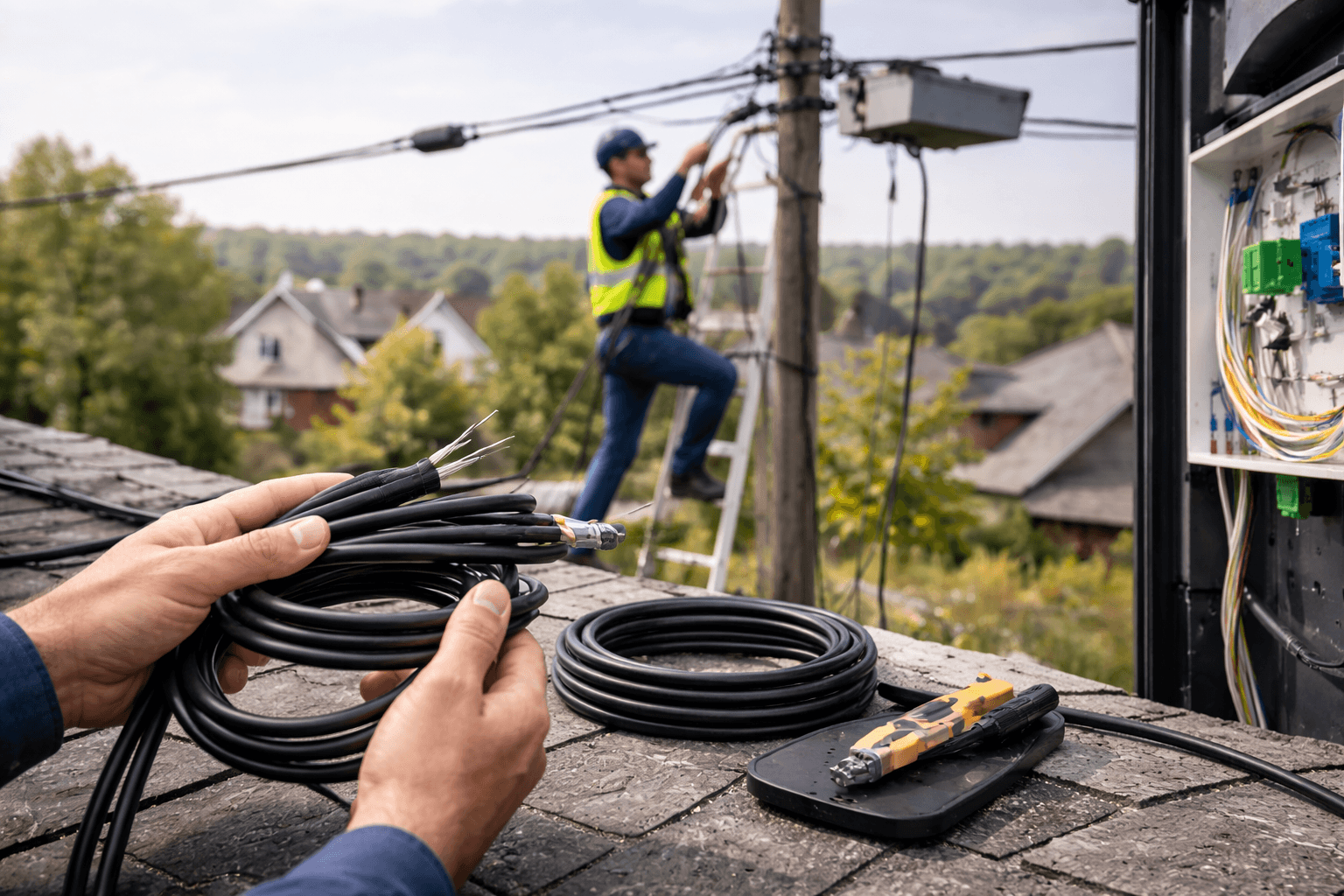
Define the route first, then the structure. Buyers who separate indoor, aerial, all-dielectric and armored requirements early usually get faster quotations and fewer revisions.
Quick answer
The main decision point in FTTH Drop Cables is the installation route and mechanical exposure, not fiber count alone. Choose the cable family around the path it will actually follow: indoor route, suspended aerial span, mixed route with a transition point, or a more exposed run where mechanical protection is worth paying for.
After that, the decision becomes an RFQ exercise: structure, fiber type, support requirement, jacket behavior, dimensions and hardware compatibility. Start from the broader Fiber Optic Cables category so internal teams align before supplier discussions begin.
Comparison / decision table
Use the table below before asking for price. It prevents the most common error in this category: comparing unlike constructions as if they were the same product.
| Option | Best fit | Why choose it | Main trade-off | RFQ fields that must be explicit |
|---|---|---|---|---|
| Indoor FTTH drop cable | Indoor subscriber entry, risers, corridors, apartments, indoor distribution | Compact routing, easier handling in building pathways, indoor-focused jacket and construction logic | Wrong choice for unsupported outdoor spans or routes needing messenger support | Fiber type, cable dimensions, jacket requirement, indoor fire or building-code expectation, termination hardware fit |
| Aerial FTTH drop cable | Pole-to-building spans, façade runs, short suspended outdoor sections | Built for suspended routing with support logic that an indoor cable usually does not have | More structure and more cost than a simple indoor drop where no span exists | Approximate span, support method, messenger or self-supporting expectation, outdoor exposure, building entry detail |
| All-dielectric drop cable | Projects preferring a non-metallic construction indoors or on selected aerial routes | No metallic elements, lighter construction, cleaner corrosion and grounding logic in many applications | Not a replacement for armored protection where the route is genuinely harsh | Non-metallic requirement, route type, clamp or hardware compatibility, fiber type, jacket type |
| Armored FTTH drop cable | Routes with higher crush, strike or handling risk and projects where extra physical protection is justified | Higher mechanical protection compared with lighter drop constructions | Added weight, stiffness and cost; can be unnecessary on clean indoor routes | Protection reason, armor type if specified, bend handling expectation, hardware acceptance, indoor vs outdoor use case |
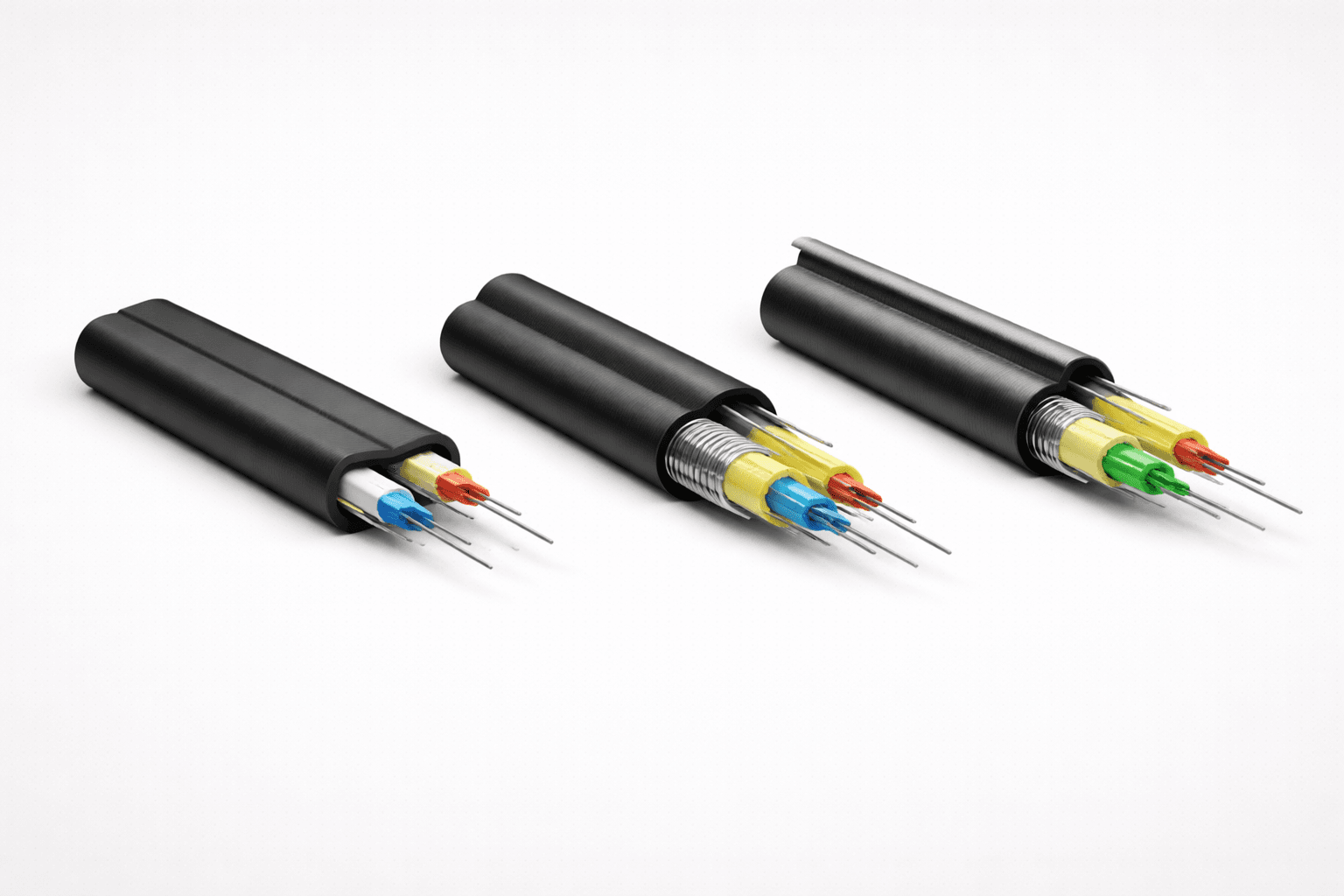
Armor, messenger structure, jacket type, custom print, special drum lengths, small mixed orders and low-volume production runs usually move price faster than fiber count alone. Comparing offers only by unit price per meter is unreliable unless structure, dimensions, fiber class and packing are already aligned.
Cable selection also needs to match the termination side. If the drop cable is going into wall outlets, splice boxes, closures, or FTTH connection points, review the related Fiber and Copper Connectivity families before freezing the cable specification.
Selection criteria by application / route / environment
Indoor subscriber entry and building pathways
An indoor FTTH drop cable is usually the correct choice when the path stays inside a building or enters the premises quickly after handoff. Here the priorities are compact routing, bend handling, indoor jacket behavior, and practical fit inside subscriber boxes, conduits, corners and wall entries. The wrong habit is to start with “maximum protection” and end up with a cable that is harder to route, terminate or handle than the job actually needs.
Indoor projects still need route detail. A corridor run, riser, wall entry and final subscriber path do not stress the cable in the same way. If the team already knows how the cable will be clamped and terminated, include that in the RFQ.
Aerial last-span and façade-to-building runs
An aerial FTTH drop cable becomes the right category when the cable must cross an unsupported outdoor span, even if the span is short. This is the point where many buyers accidentally request the wrong product because the route is “mostly indoor.” If the cable still needs to survive a suspended outdoor section, the outdoor span has to drive the structure selection.
For aerial routes, do not stop at the phrase “aerial drop cable.” State whether you expect messenger support or a self-supporting construction, whether the path is pole-to-building or façade-to-façade, and whether the cable continues indoors after the span.
All-dielectric preference versus metallic protection
An all-dielectric drop cable makes sense when the project prefers a non-metallic construction for simpler handling, lower corrosion concern, or cleaner electrical isolation logic. It is often the more efficient choice when the route does not need the extra physical barrier of metallic armor and the team wants a lighter build with fewer metallic considerations.
Armored FTTH drop cable is not the premium version of every drop cable. It is a targeted answer to mechanical exposure. If the route is mild, armor becomes a cost and handling penalty. Buyers get better results when they state the actual exposure reason in the RFQ.
Mixed routes are where most specification errors start
Many FTTH jobs are mixed routes: outdoor span to building, then indoor continuation to a termination point. That sounds simple, but it is the biggest source of rework because the RFQ often describes only one part of the path. The practical question is whether you want one cable construction across the whole route, or a transition point where the route logic changes and the cable family changes with it.
Mixed routes should also be checked against the actual accessory path. A cable that works mechanically may still be awkward at the wall entry or mismatched with the planned box and clamp layout.
Compatibility and standards to verify
Use standards to reduce ambiguity, not to overload the RFQ. Verify the points that actually change product fit: environment, cable family, fiber class, mechanical expectations and hardware compatibility.
Standards view
Use the IEC 60794 family overview starting point as a reference for the broader optical fibre cable series, then confirm the specific document that matches the actual cable family and environment in your project.
Installation view
The FOA fiber optic installation guidance is a practical cross-check because it clearly separates outside-plant and premises installation logic. That is exactly the split buyers need to keep clear in FTTH drop selection.
At a minimum, buyers should verify the points below before RFQ release:
- Fiber type: state the required singlemode class instead of writing only “singlemode.”
- Route suitability: indoor, aerial, mixed or mechanically exposed. Do not assume a supplier will infer this from the project name.
- Cable dimensions: outer dimensions matter because clamps, wall entries, closures and subscriber boxes have real physical limits.
- Mechanical expectations: tensile handling, bend behavior, crush or impact exposure, and whether a messenger or self-supporting element is required.
- Jacket behavior: confirm the indoor or outdoor requirement and any project-specific fire or building-code expectation.
- Termination method: splice-only, field connectorization, preterminated delivery, or compatibility with an existing closure and box architecture.
Compatibility problems usually appear at the handoff point: wall entry, clamp, slack storage, splitter box or closure. Cable dimensions and stripping behavior matter almost as much as the cable family.
A technically acceptable cable can still delay installation if it is too stiff for the bend path or mismatched with the planned accessory layout.

For the hardware side, cross-check the cable with the relevant Fiber and Copper Connectivity range. The cable is only one part of the last-mile path; the actual installation succeeds or fails at the cable-plus-accessory level.
Common mistakes and rework triggers
If the route, structure and hardware interface are vague, suppliers fill the gaps differently. That creates quotation mismatch, approval delays, field adjustment and sometimes cable replacement after delivery.
Mistake 1: treating FTTH drop cable as a generic SKU. The phrase covers several different constructions with different cost and installation behavior. If the route is not stated clearly, an indoor cable, aerial cable and armored cable can all sound correct and all be wrong.
Mistake 2: forgetting the outdoor section because the project is mostly indoor. A short aerial span still changes the structure selection. If the RFQ describes only the indoor endpoint, the quotation can be based on the wrong family.
Mistake 3: specifying armor by default. Armor solves a specific mechanical problem, but it also adds material cost and handling stiffness. On clean routes it may create more penalty than value.
Mistake 4: ignoring the interface with clamps, boxes and closures. A cable can be correct on paper and still create trouble because the clamp does not grip properly, the box entry is too small, or the termination plan assumed another cable shape.
Mistake 5: comparing only headline price. MOQ, drum length, print requirement, packaging format and mixed-product order structure all affect the quoted price. Price comparison works only when the RFQ is specific enough to make the offers genuinely comparable.
If your team is aligning cable, accessories and connection hardware at the same time, review the broader Products range before the RFQ is frozen.
RFQ checklist — exact fields buyers should include
A good RFQ should allow a supplier to quote without guessing the route, construction or termination method. The fields below reduce revision loops and improve price comparison.
- Project/application type — subscriber drop, building entry, aerial last span, indoor distribution, mixed route
- Route description — indoor only, aerial only, or mixed aerial plus indoor
- Requested construction — indoor, aerial, all-dielectric, armored, or supplier to propose
- Fiber count — exact count, not “small count” or “standard FTTH”
- Fiber type — required singlemode class or acceptable alternatives
- Support requirement — messenger, self-supporting, or no support element required
- Metallic or non-metallic preference — mandatory or optional
- Jacket/environment requirement — indoor, outdoor, or project-specific requirement
- Approximate span or exposure detail — especially for aerial or mechanically exposed routes
- Cable dimensions or hardware limits — if clamps, boxes or entries impose real size constraints
- Termination plan — splice only, field connectorization, preterminated or existing hardware compatibility
- Quantity and drum preference — total quantity, preferred drum lengths, staged deliveries if relevant
- Destination market and documents — compliance expectation, marking language, project paperwork if required
- Commercial terms — Incoterm, delivery location, requested lead time and whether alternates are acceptable
If supplier alternatives are acceptable, say so explicitly. Mark which fields are mandatory and which fields can be supplier-proposed. That single line often saves a full clarification cycle and makes it easier to receive technically usable alternatives instead of simple yes-or-no quotations.
Need the cable shortlist to match the rest of the installation?
Review the broader Products portfolio first, then compare the relevant FTTH Drop Cables and supporting Fiber and Copper Connectivity items before you finalize the RFQ.
FAQ
What is the main decision point in FTTH Drop Cable?
The main decision point is the actual installation route and mechanical exposure. Buyers should first decide whether the cable is for an indoor pathway, an aerial span, a mixed route, or a mechanically harsher path where extra protection is justified.
Which option fits the application best in FTTH Drop Cable?
Indoor FTTH drop cable fits indoor subscriber routes. Aerial FTTH drop cable fits suspended outdoor spans. All-dielectric drop cable fits projects that prefer a non-metallic structure. Armored FTTH drop cable fits routes where extra physical protection is genuinely needed.
What should be included in an RFQ for FTTH Drop Cable?
At minimum, include route type, requested construction, fiber count, fiber type, support requirement, metallic or non-metallic preference, jacket requirement, hardware or termination context, quantity, packing preference and delivery terms. Missing those fields is the main reason quotations come back with incompatible assumptions.
What are the most common mistakes buyers make when specifying FTTH Drop Cable?
The most common mistakes are treating FTTH drop cable as a generic product, ignoring short aerial sections, choosing armor by default, and failing to check cable fit against the actual clamp, box, closure or termination plan.
Which standards, compliance or compatibility checks matter most for FTTH Drop Cable?
The most useful checks are the correct cable family for the environment, the required fiber class, cable dimensions, mechanical expectations, indoor or outdoor suitability, and real compatibility with the accessories and termination hardware planned for the job.